C4S Chat: Bulk Messaging
Bulk Messaging enables creators to reach multiple customers simultaneously, including those who have purchased content, sent tips, or follow their store.
Send messages with:
- Text updates and announcements.
- Clips (offer them at full price or surprise fans with a discount!).
To get started:
- Log in to your Creator Workspace.
- Open Chat - click the C4S Chat notification in the top-right corner, or go straight to C4S Chat
- Navigate to the Bulk Messaging tab in the left menu.
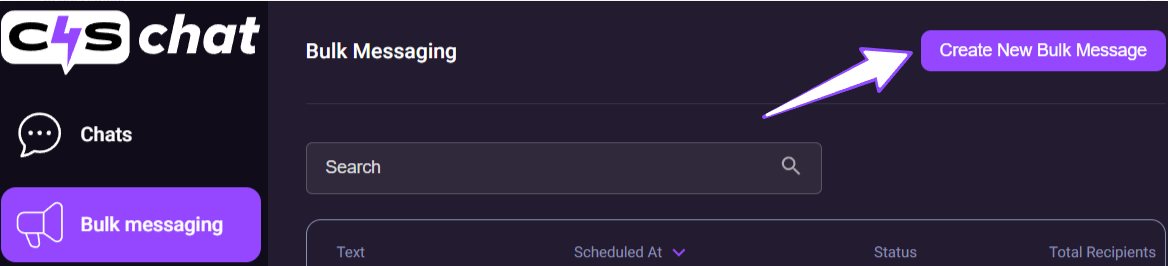
- Create & Share - hit the Create New Bulk Message button and start connecting with your fans instantly!
Step 1 - Create Message
Ready to craft your first Bulk Message? Follow these steps:
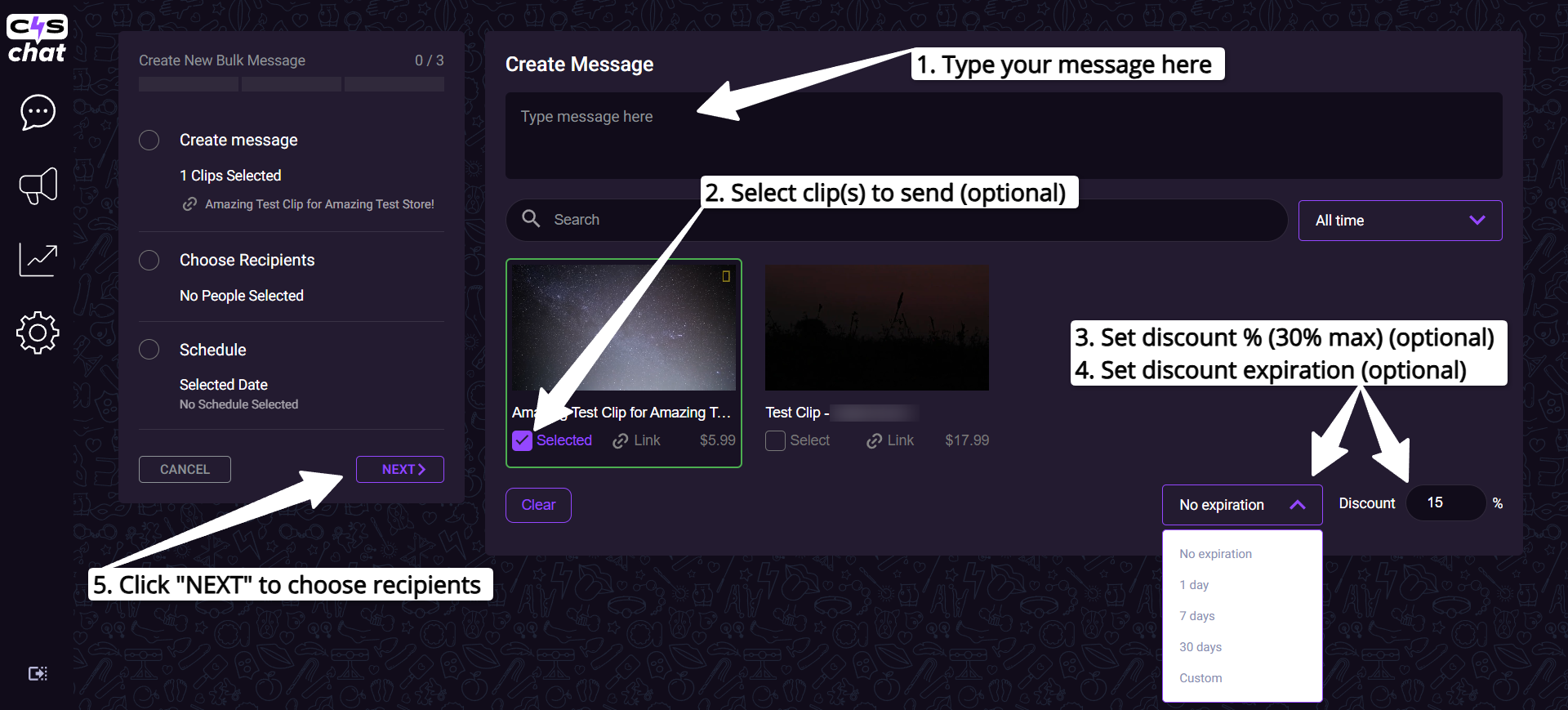
- Enter your message in the text box.
- (Optional) Select the clip(s) you’d like to include in your bulk message.
- (Optional) Enter a discount percentage (up to 30%).
- (Optional) Set the discount expiration date (1/7/30 days, custom range, or no expiration).
- Click Next to proceed to the next step and choose recipients.
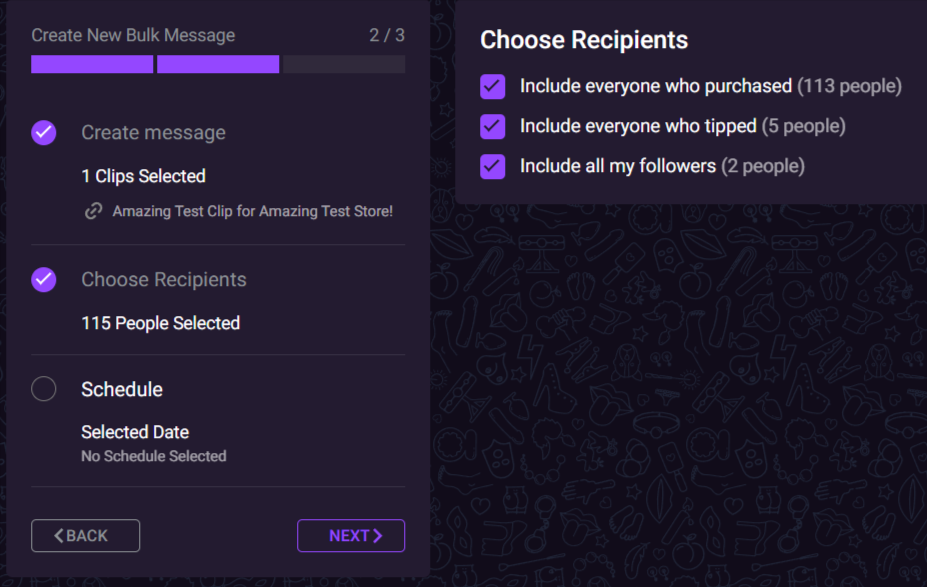
Step 2 - Choose Recipients
Now choose your recipients for the bulk message:
- All customers - everyone who has purchased content from your store.
- Tippers - everyone who has sent tips to your store.
- Followers - everyone who follows your store.
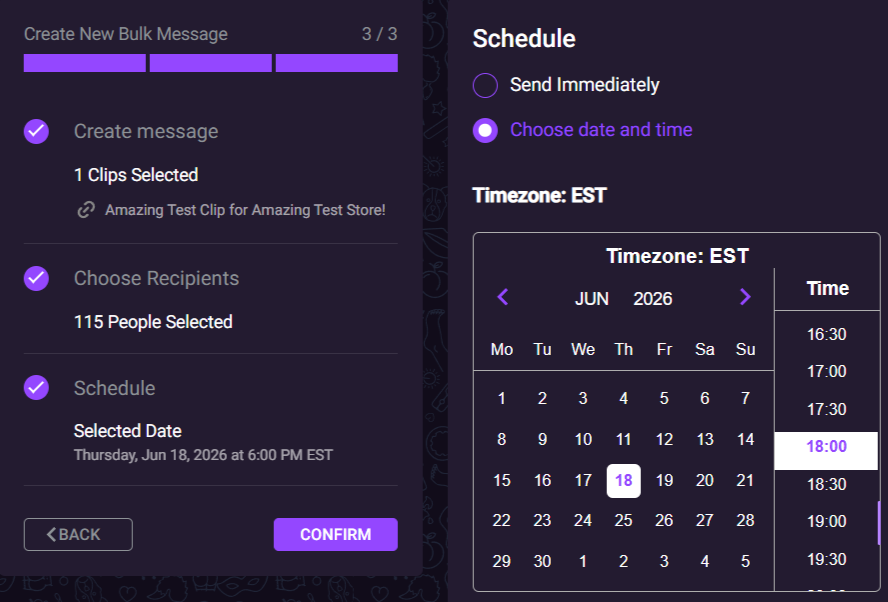
Step 3 - Schedule and Confirm
After selecting the message recipients, you can choose when to send your message:
- Send it immediately, or
- Schedule it for a specific date and time (timezone: EST)
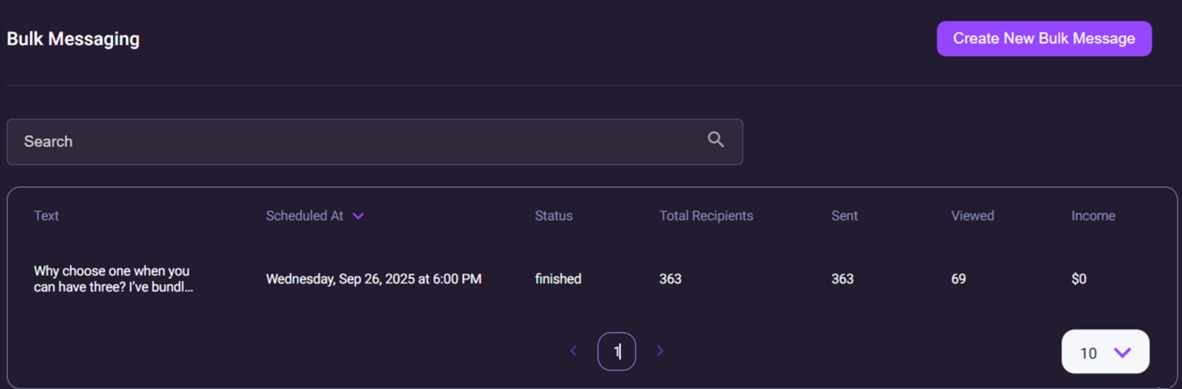
Once sent, your bulk messages will appear on the Bulk Messaging page, where you can view their statuses and performance stats.