Upload
Direct URL: https://workspace.clips4sale.com/upload

Browse or import files to upload. You can upload directly from your device or import from Dropbox, OneDrive and Box.
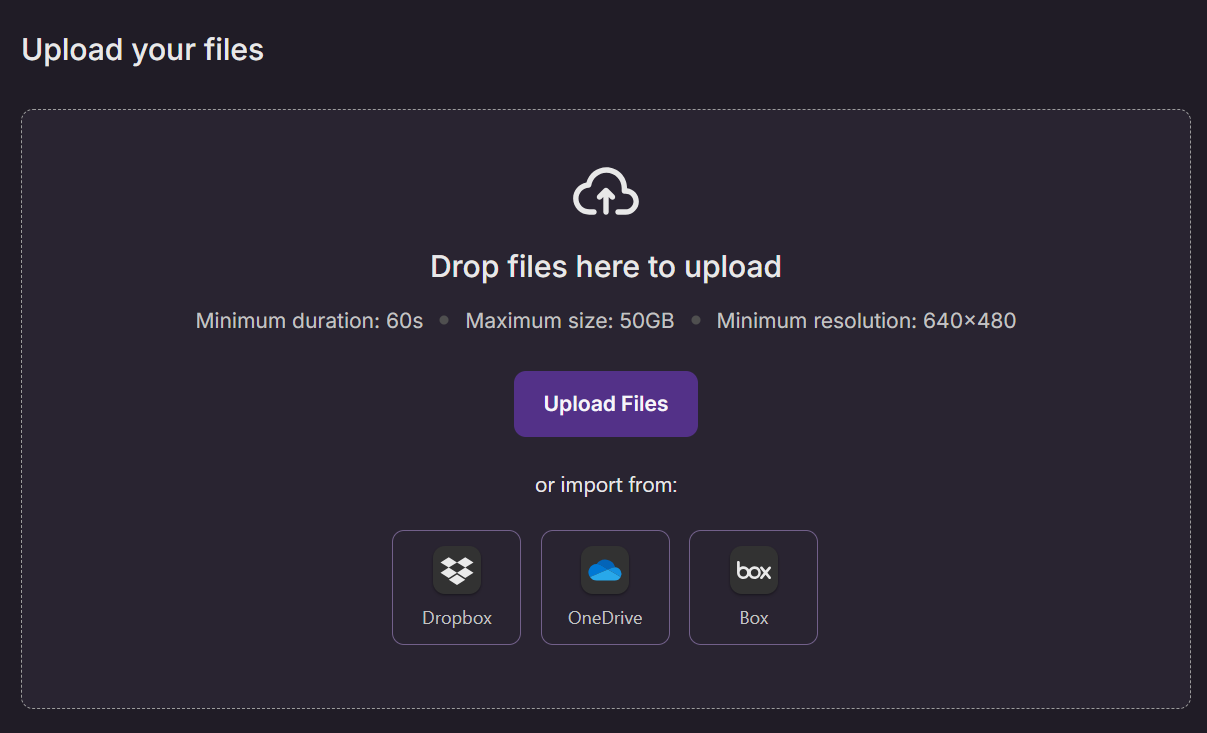
While your clip is being uploaded (you can track the upload progress on the bottom right corner of your screen), fill out the details describing your clip to maximize discoverability for new and existing customers. Mandatory fields are marked with an asterisk (*).
Step 1 - Details
- Clip Title*- Write a compelling and descriptive title reflecting the clip's content. A well-chosen title can draw viewer attention and offer a glimpse into the clip's content.
- To simplify the process for you, the clip title is automatically filled based on your clip file name, however, it can be edited.
- Description - Write a summary that highlights key content and sets viewer expectations. A well-crafted description can increase viewer engagement and sales. A well-written clip description can sell a clip as much as a good preview!
- Description rules:
- Maximum 5,000 words;
- Cannot contain advertisements for other products, sites, or services. (Ex. other member websites);
Cannot contain spam. (Ex. irrelevant keywords, unrelated text);
Cannot contain email addresses or @ symbols. (Ex. name [at] domain [dot] com);
URLs to other clips4sale.com clips will not be displayed to customers until your store has been active for over 14 days.
- Description rules:
Other Options (Optional):
Feature this clip - Highlights this clip in featured sections.
Tracking Tag - Set a custom Tracking Tag to:
‣ Filter and organize reports using your own ID system.
‣ Group and track clips from the same shoot with a shared ID.
Primary Audience* - Choose the primary target audience that is best suited for your clip. By default, your clip's secondary audience will be all audiences on the C4S website when they choose “Show Me Everything“.
- Bisexual
- Gay
- Lesbian
- Straight
- Transgender
Category* - Identify the primary category that represents the main theme or subject of the clip.
Related Categories - Select a maximum of 5 additional relevant categories. These help viewers discover the clip when exploring similar content.
Keywords - Include relevant keywords associated with this clip. Keywords Improve search results performance. Max 15 keywords.
Performers - Select Performers that appear in this clip. If your clip does not have performers, please check the appropriate box.
Performers - My content contains at least one person or computer-generated character modeled after a person, including myself.
No performers or Computer-generated characters only - My content does not include people.
As soon as your clip is fully uploaded, a draft is automatically created so you do not lose your progress even if you accidentally refresh or close the page. To continue editing and publishing your draft later, go to My Content > Drafts.
Note: Drafts without required performer documents will be saved on our servers for 30 days. After this period, they will be automatically deleted. Ensure all necessary documents are attached for continued access and progress.
Step 2 - Previews
Now it's time to set your clip thumbnail and preview! Our system can automatically generate a thumbnail and a 25-second preview for your clip. Alternatively, you can upload your own or create custom ones by clicking Manage.
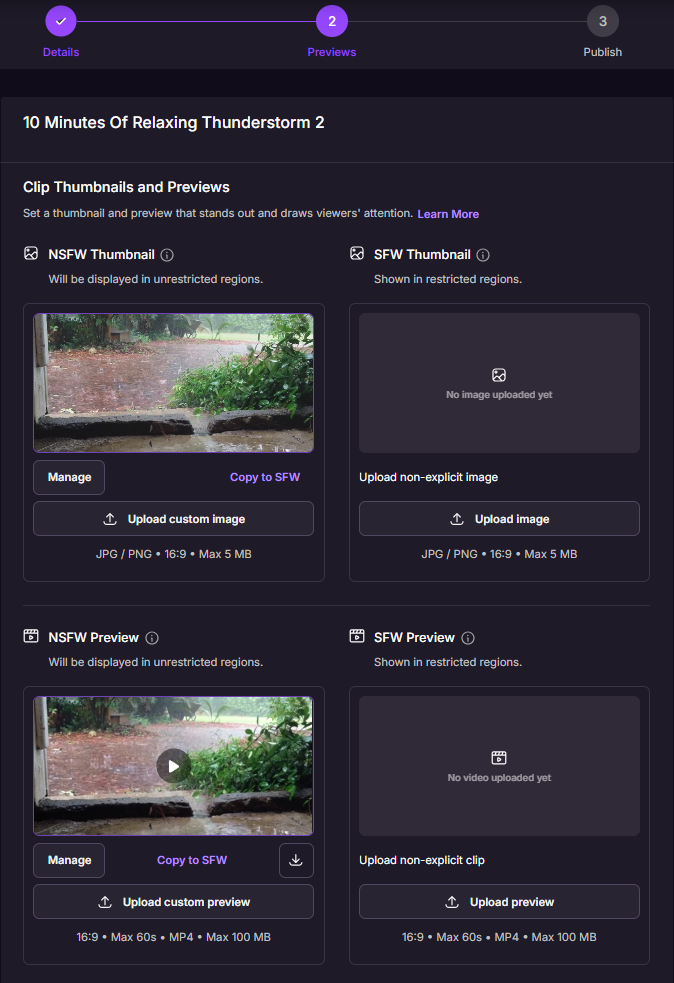
- Thumbnail - Select an auto-recommended thumbnail, upload an image or manage (create) one that best illustrates your video content. The most successful thumbs show faces, action, and don’t have text.
- JPG / PNG • 16:9 • Max 5 MB
- Preview - Select, upload or create (manage) a brief video preview designed to captivate and compel customers to purchase your clip.
- 16:9 • Max 60s • MP4 • Max 100 MB
Step 3 - Publish
Almost there! Set the price and decide whether you'd like to activate/publish the clip now or schedule it for later.
Clip Price
Set the clip price - enter your clip price or use the recommended price by our AI Smart Price.
- Price* - Clip price rounds up to .99¢ and the minimum clip price is $3.99.
How SmartPrice Works
SmartPrice is calculated automatically based on:
- Clip length
- Category and niche
- Audience and demand trends
- Performance of similar clips
- Final prices are standardized to end in .99 for marketplace consistency.
You can adjust the price manually at any time.
Powered by machine learning models trained on marketplace data.
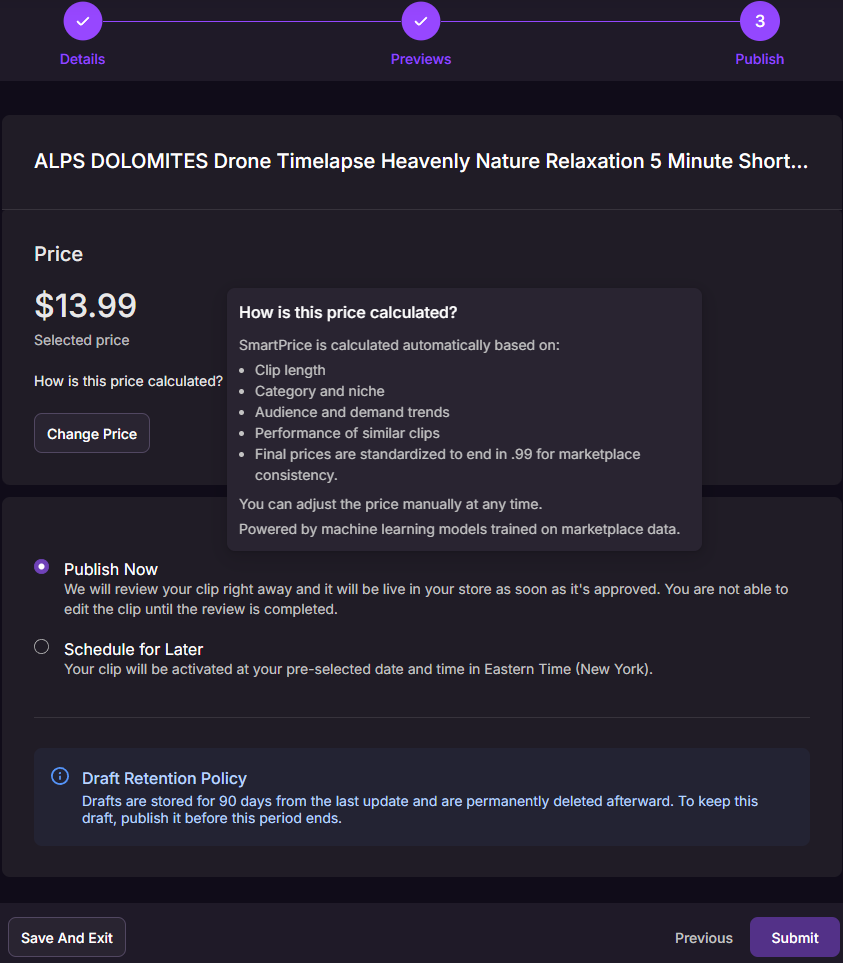
- Publish Now - We will review your clip right away and it will be live in your store as soon as it’s approved. You won't be able to edit the clip until the review is completed.
- Schedule for Later- Your clip will be activated at your pre-selected date and time in Eastern Time (New York).
You can schedule your clips 365 days in advance.
Draft Retention Policy
Drafts are stored for 90 days from the last update and are permanently deleted afterward. To keep this draft, publish it before this period ends.
If you have any questions or need help uploading your content, contact our Creator Experience Team. They’re available 24/7 and can be contacted via email, chat or phone!