To link your store to your Twitter (X) account and have your new clips and sales auto-posted, follow these steps:
- In Creator Workspace’s menu, click on Store Details
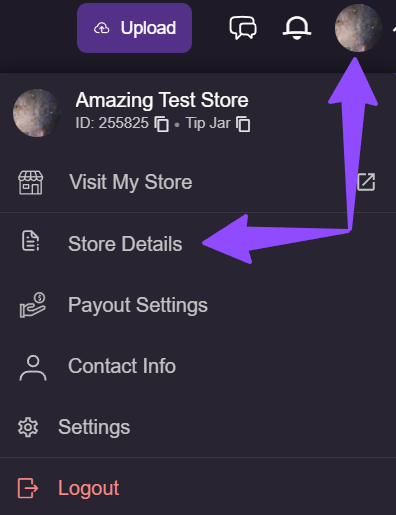
Personalize Store > Advanced Information and find the Auto Posts tab.
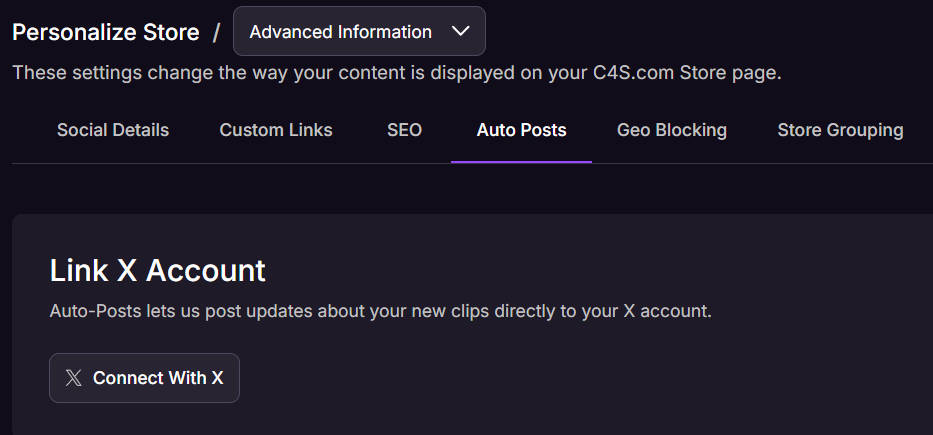
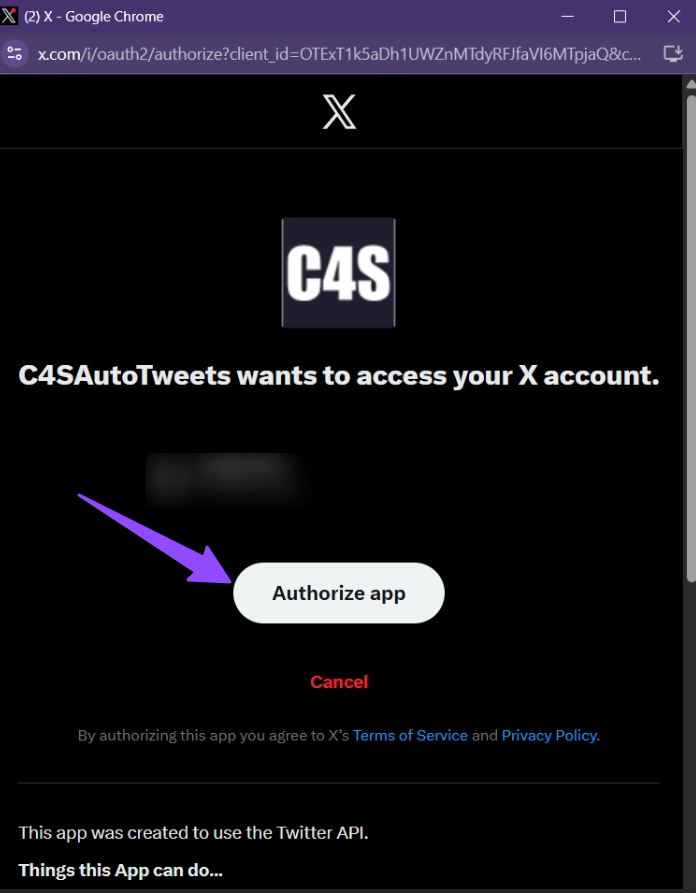
Press “Connect With X” and authorize app.
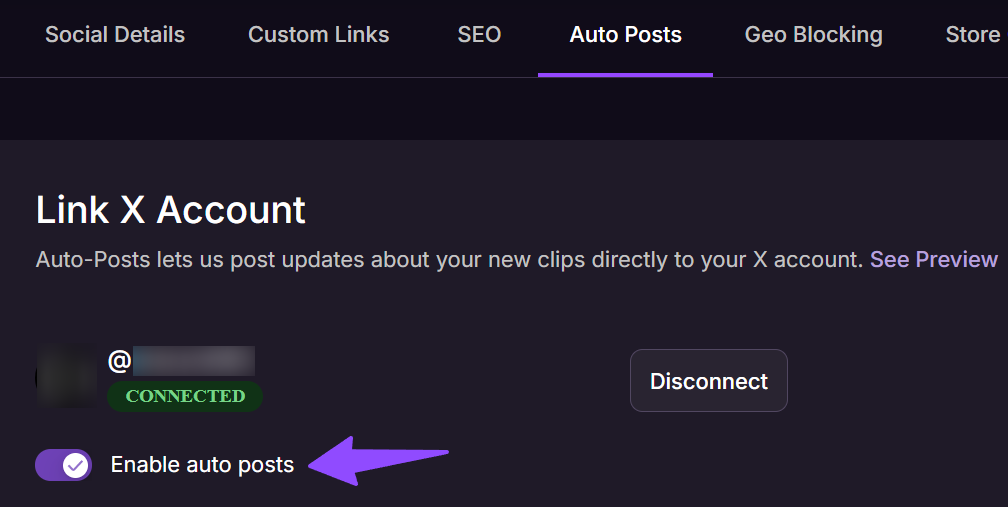
After successfully connecting, toggle enable auto posts and you’re all set!
Each store can send up to 6 auto-posts per day total:
- Up to 3 auto-posts for newly published clips.
- Up to 3 auto-posts for sales.
This is how your auto-posts may appear to viewers:

If you experience any problems or have questions during the process, our Creator Experience team is available 24/7 to assist.