Here's how you can report cases where your content has been stolen and shared illegally on other websites using the Piracy Protection form in your Creator Workspace.
- Log in to your Creator Workspace.
- Navigate to My Content → Piracy Protection, or access it directly here: http://workspace.clips4sale.com/content/piracy-protection
Complete the form by copying and pasting the exact URL(s) where your clip(s) are being illegally hosted.
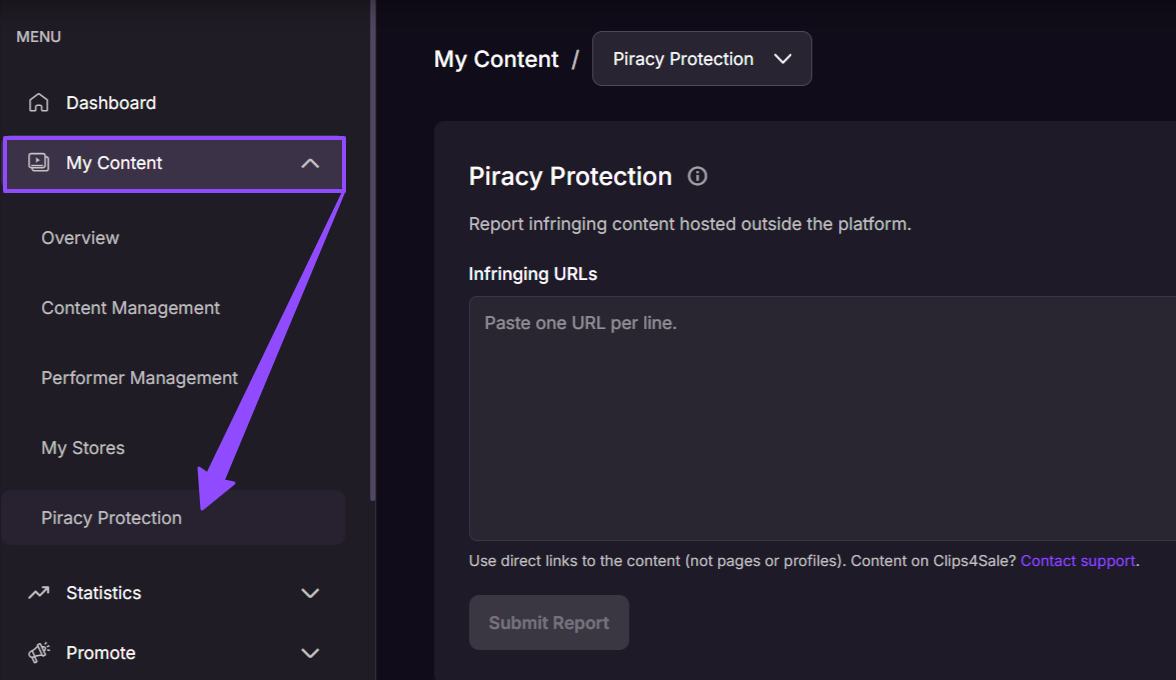
Make sure to include direct links to the specific infringing content, rather than general links to websites, pages, or profiles.
Please note:
- Report infringing content hosted outside Clips4Sale.
- Each submitted URL is reviewed individually, and takedown requests are sent where possible.
- Processing times may vary.
- Removal of content is not guaranteed.
If you experience any problems or have questions during the process, our Creator Experience team is available 24/7 to assist.