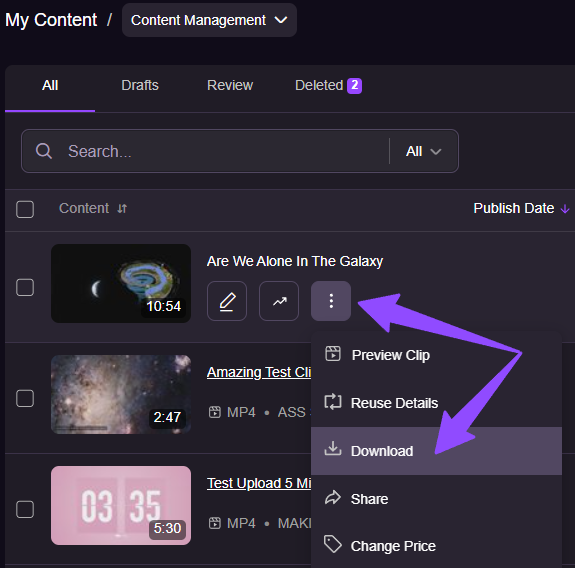
You can download your clip files directly from your Creator Workspace using the Download Clip quick action.
How it works:
- Go to My Content → Content Management → All Content.
- Select the clip you want to download.
- Click the three-dot menu next to the clip and choose Download.
- The file will begin downloading immediately in its original uploaded format.
Please note:
- The download button is not available for clips with the “Corrupt” and “Denied” statuses.