Follow these steps to access your payout history and summaries within the Creator Workspace:
1. Log in to your Creator Workspace.
2. In the top nav menu, click on your avatar.
3. From the dropdown menu, select Payout Settings.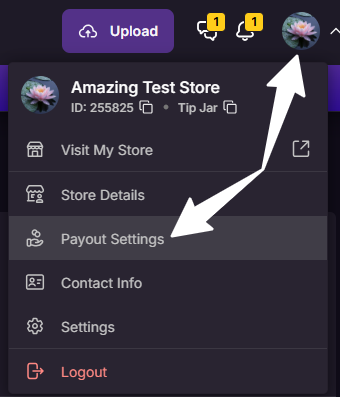
4. Here you will find the Payout Summary listed by date.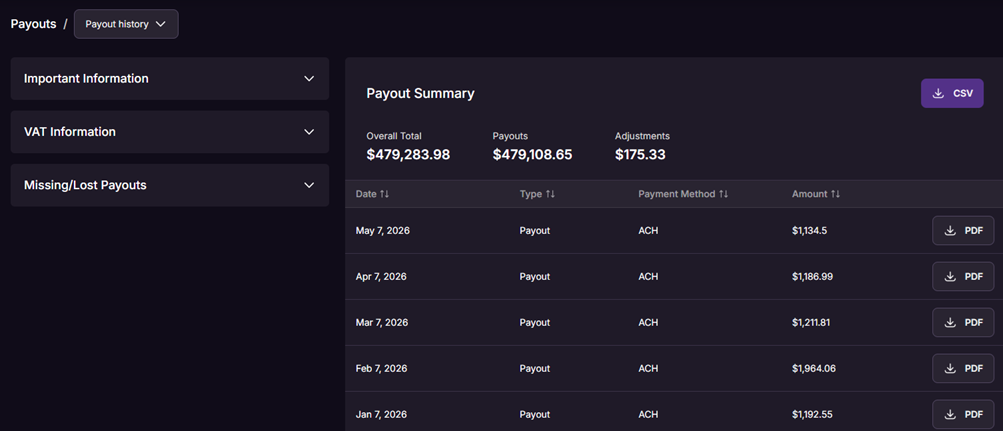
Note: Click the PDF button next to any individual payout to download its invoice.
If you experience any problems or have questions, our Creator Experience team is available 24/7 to assist.